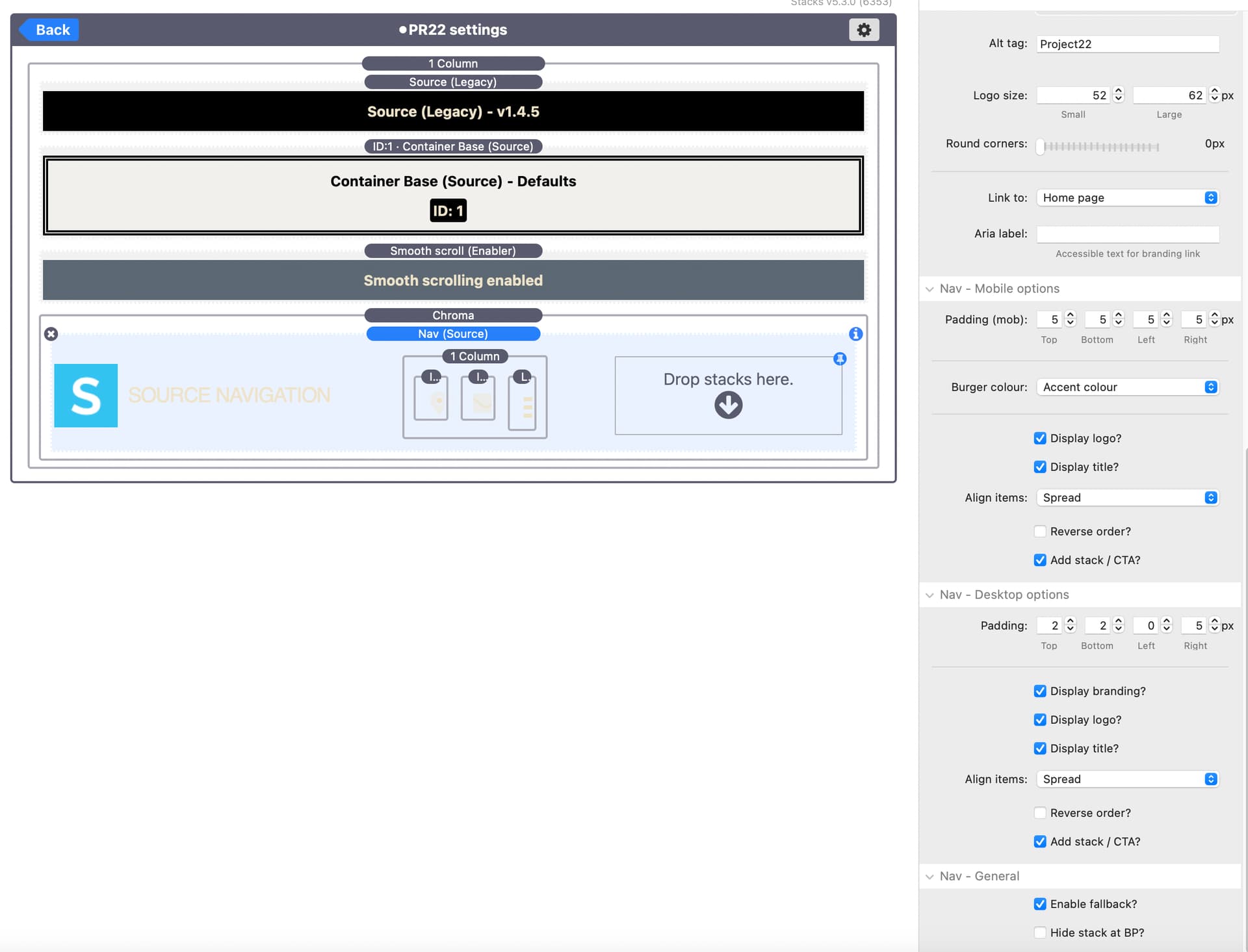
I was trying to understand how added nav ribbon links was done in Project22 of webdeersign’s theme example. I purchased the bundle, but the icons as viewed in my purchase doesn’t show them. Any ideas?
URL of example:
My attempt to make it work:
I was trying to understand how added nav ribbon links was done in Project22 of webdeersign’s theme example. I purchased the bundle, but the icons as viewed in my purchase doesn’t show them. Any ideas?
URL of example:
My attempt to make it work:
My guess …
you have already enabled the ‘Add Stacks/ CTA’ option, which allows you to drop any buttons/ links etc. into the “Drop stacks here” area. Since you can drop any stacks there, it is up to you to what you use to create the icons/ buttons/ images with links etc.
Hi @Gee-Willikers -
A change was made in Source 2.9.0 that caused an issue with existing CTA sections. There are details in the release notes (in the 2.9.0 entry) for how to fix it:
But yes - as @GKs says you can add anything you like into the CTA section to act as buttons/links.
Hope that helps.
Thanks to everyone who answered my request. You were right on target. I appreciate the help!