Hi everyone,
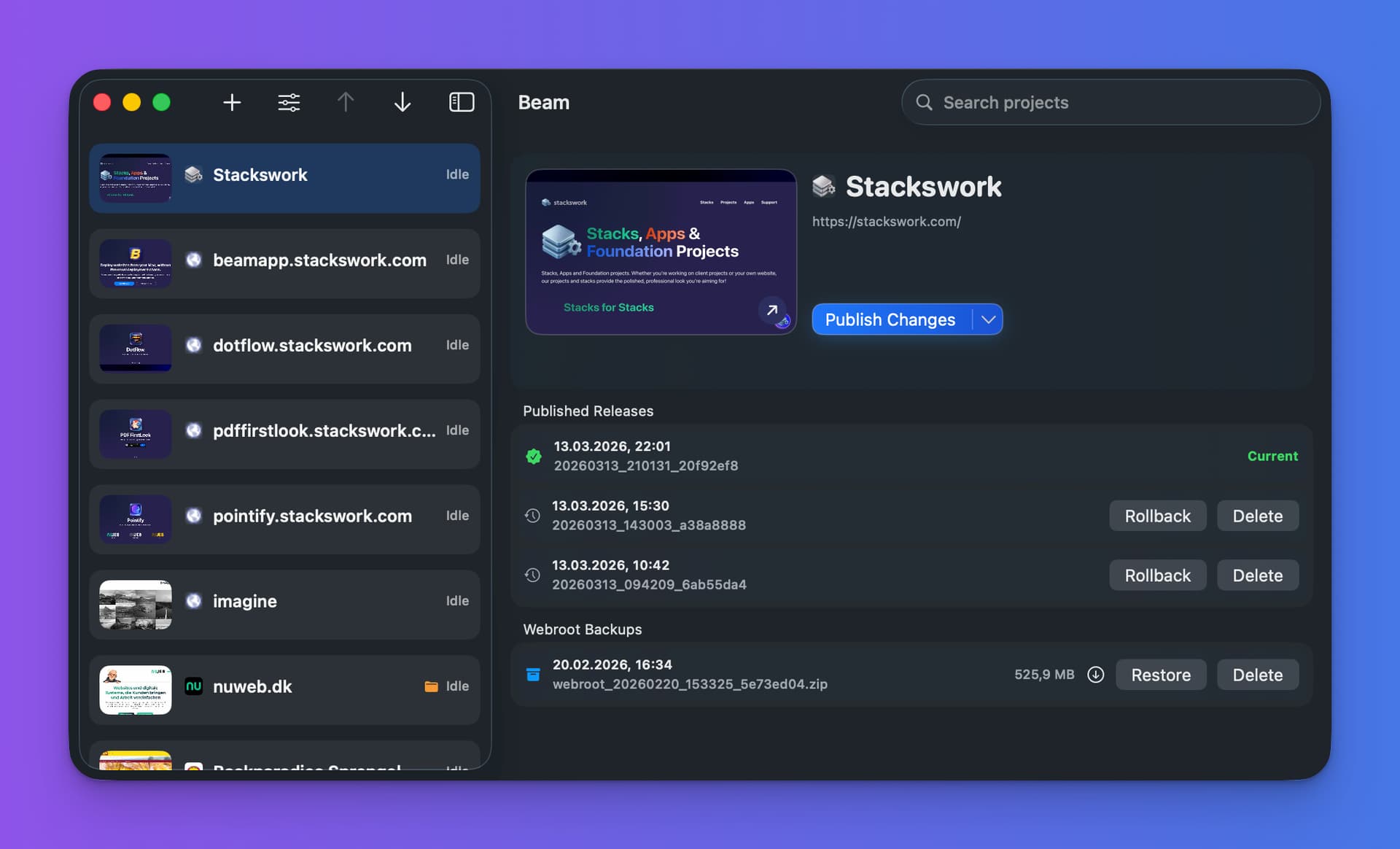
I built Beam, a Mac app for people who publish websites to their own web hosting or for client websites and want a faster workflow than traditional FTP tools.
Instead of relying on slow file-by-file uploads, Beam is designed to make deployment faster, clearer and more reliable.
What Beam focuses on:
- faster website publishing
- resumable uploads
- backups before release
- rollback if something goes wrong
- a clearer release workflow for client projects
I built it because publishing websites to regular hosting still often feels more painful than it should. Beam is my attempt to make that process smoother for web designers, freelancers and small agencies.
Beam is available in English and German, and one project is free to use, so you can test it in your own workflow.
You can check it out here:
https://beamapp.stackswork.com
Feedback is very welcome.
11 Likes
Nice, just downloaded, if I’m not mistaken the free version only allows one project but that’s enough to test it, thanks 
1 Like
Yes, one project is free. Let me know if you have questions.
Beam 1.1.1
I’ve been thinking for a long time about how to simplify the setup process. The following changes have now been implemented in Beam:
Auto Token
You no longer need to assign a token yourself. Beam assigns it automatically during project setup.
Helper Installation
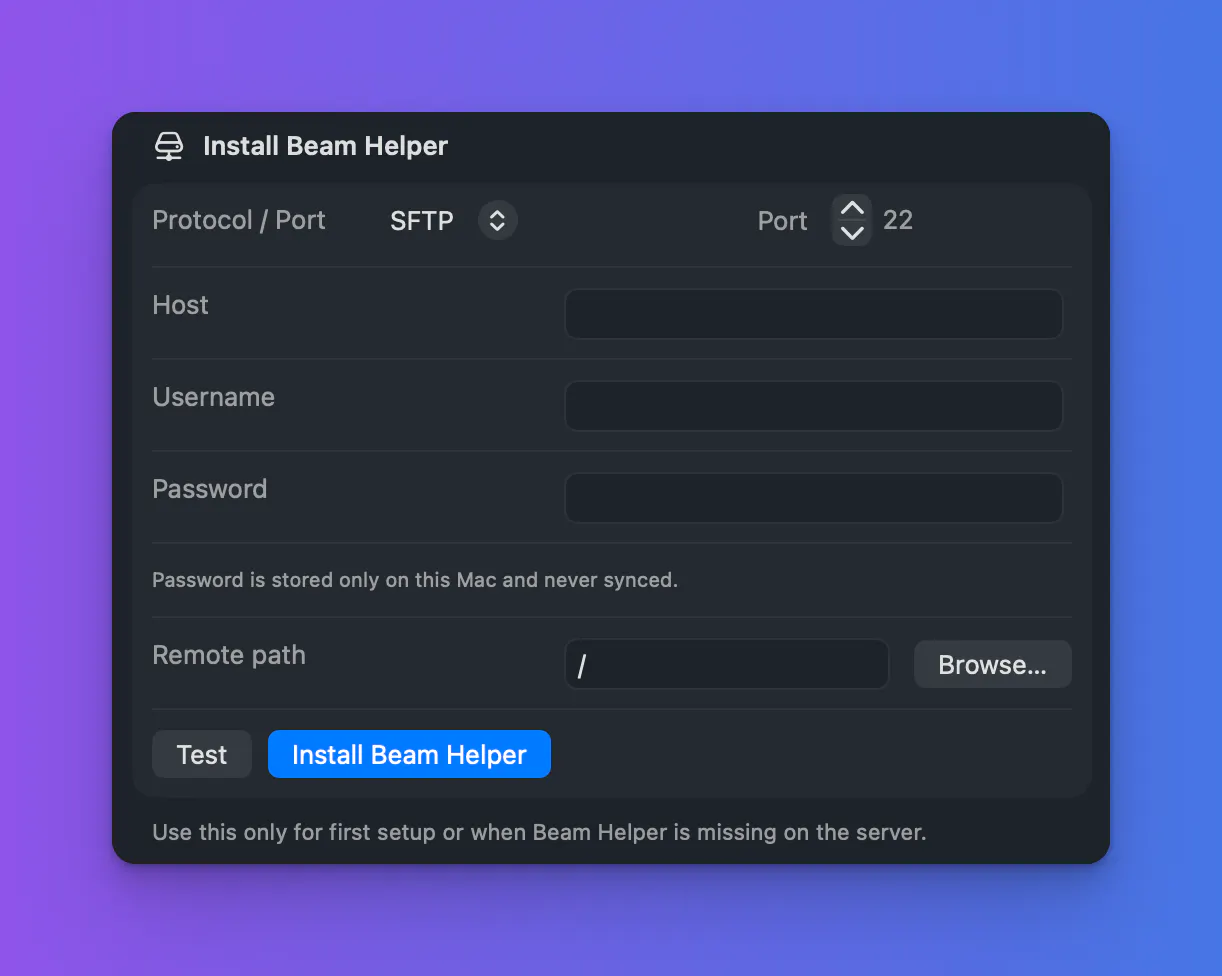
The helper no longer needs to be installed manually. You simply enter the login credentials for the FTP server and can then install the helper within the app.
FTP, SFTP, and FTPS are supported.
Webroot Backup
When performing a webroot backup, the Beam backup folder is now excluded.
You can define folders outside the webroot that should be included in the backup. For example, a tcms-data directory outside the webroot can be included in the backup.
Notification Sounds
You can now define custom notification sounds for the most common operations.
If you’ve had trouble setting up Beam so far because it seemed too complicated, why not give it another try?
https://beamapp.stackswork.com
4 Likes
Beam Update v.1.1.7

Checks configured server helpers at startup and offers one-click updates for all outdated helpers.
Makes large webroot backups reliable with lock-based background jobs and clear progress handling.
Do you already own BeamApp?
Already using BeamApp? Tell us what you think in the comments.
4 Likes

Beam v1.2.0
This release fundamentally modernizes Beam and particularly improves setting up new projects, working across multiple Macs, and managing servers.
New Project Setup
- Completely redesigned onboarding for new projects
- Set project details and the public website address
- Choose the local export folder
- Configure and test the server connection
- Review the settings before creating the project
- Clearer terminology and error messages
- Improved presentation at both small and large window sizes
iCloud and Multiple Macs
- Project settings can be securely synchronized through iCloud
- Local projects can be moved to iCloud later
- Synchronized projects are automatically loaded on additional Macs
- FTP and SFTP credentials are retained during migration
- Each Mac keeps its own local export folder and Hotfolder activation during migration
- Projects appear at startup while iCloud continues synchronizing in the background
Server Updates
- Outdated server components are detected automatically
- All affected servers can be updated centrally
- Up to three servers are updated simultaneously
- Progress is shown directly in the project list
- Shorter, clearer notices replace technical version messages
Previews and Favicons
- Website previews are created and loaded more reliably
- Projects without a local folder show a clear message instead of an endless loading indicator
- Favicons are retrieved more reliably from websites
- Improved placeholders for websites without their own favicon
- Consistent presentation with rounded corners
- Favicons can be shown or hidden separately in the project list and project header
Publishing Workflow and Licensing
- Each project can be switched directly between manual publishing and Hotfolder mode from the project header
- The registered email address remains fully visible and selectable
- License Settings opens the correct tab
- The current Mac can be deactivated to free its license seat for another Mac
Modernized Interface
- New Beam app icon
- More consistent colors across the main window, settings, and onboarding
- Redesigned About window that clearly identifies beta builds
- More compact project list
- Improved presentation of the project name, domain, preview, and actions
- Beam remembers the most recently opened project
Startup and Updates
- New splash screen for a calmer app launch
- The main window and splash screen are positioned and displayed reliably
- Beam automatically checks for updates once a day
- Automatic update checks can be disabled in Settings
Stability and Bug Fixes
- Fixed server installation problems over SFTP
- Server credentials remain complete during iCloud migration
- Temporary files are cleaned up automatically
- More reliable Sparkle updates with improved signing and notarization
- Numerous smaller layout, localization, and display issues have been fixed
Do you already own Beam?
Already using Beam? Tell us what you think in the comments.
2 Likes
If you’ve tried Beam before and it seemed too complicated, you should definitely give it another try.
1 Like