I created a website based on the Faroe theme (maybe it is some years old, but it is perfect für my project). But I have two problems with formatting the font color in two places.
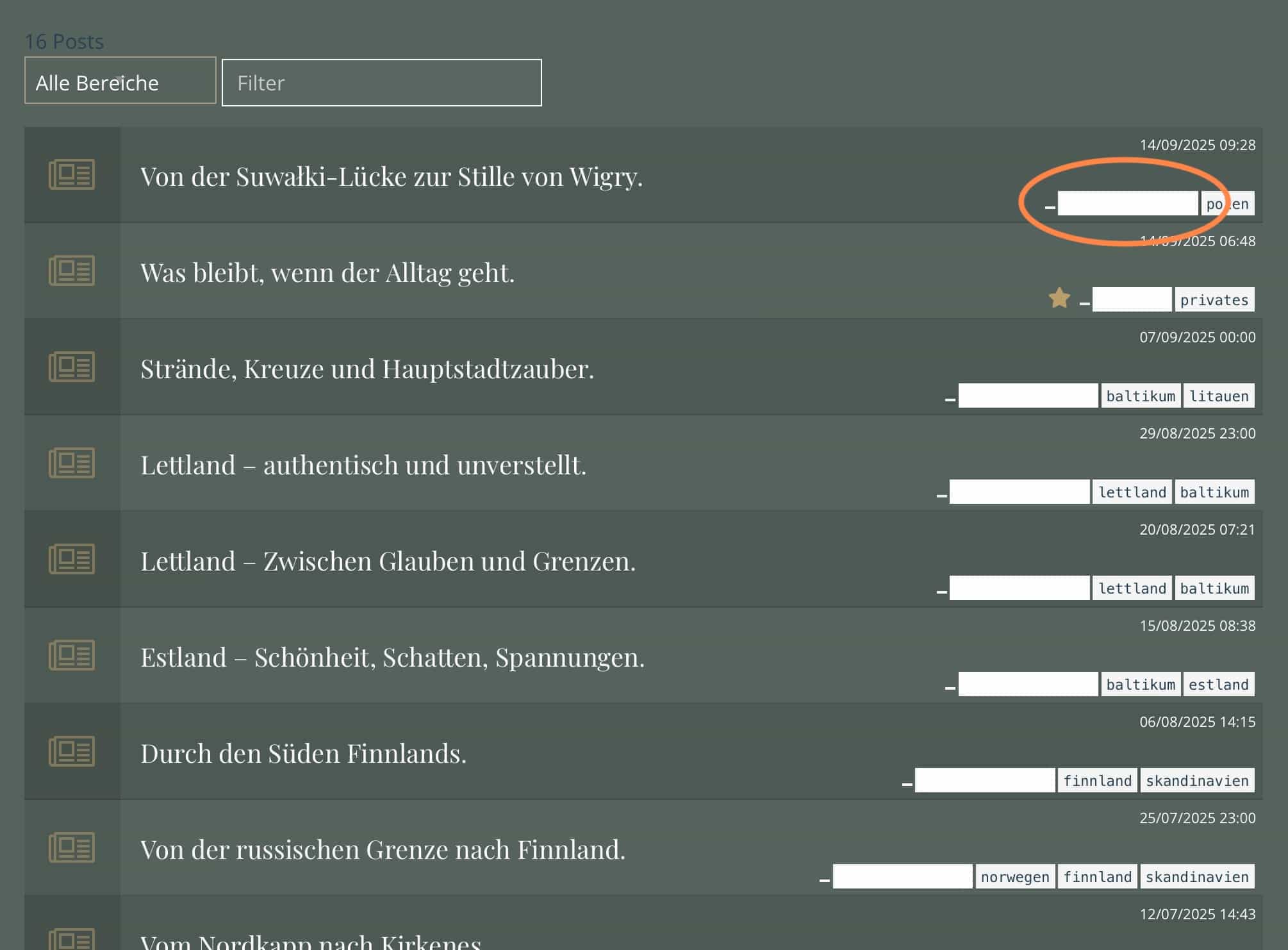
First problem is in Blog List page: Here should appear the categories, but they don’t because there is white font color on a white background. See here:
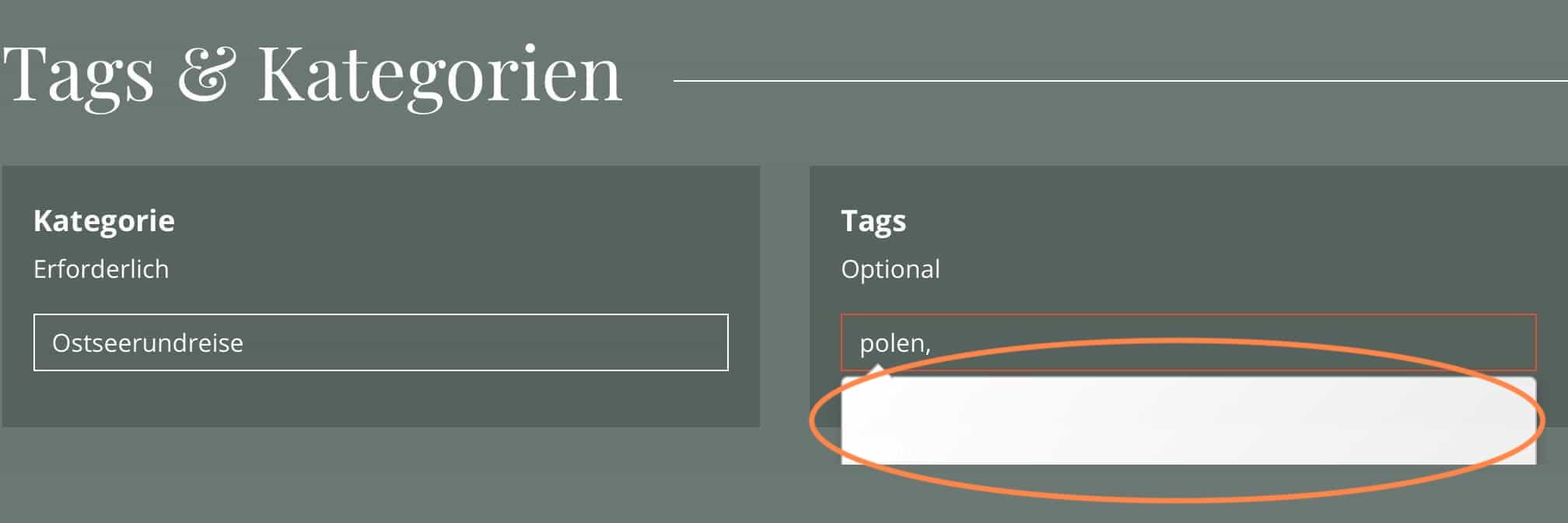
Here the same problem in the Blog Post page with the form field for tags. There should appear some tags that I used before, but I cannot see them because it is white font color in a white form field. See here:
I tried a few things, but I couldn’t find the starting point or the Swatch where I could make the change. Maybe someone can help me out here.