This is an AI produced explanation of the issue. I’m going to put this here instead of explaining it myself, as I’ve worked out a fix/hack using AI, so it’s fully conversant with the issue, and the workaround we had to put in place (using AI too much, I’m referring it it as “we”!)
This is what AI has told me to say…
##########################
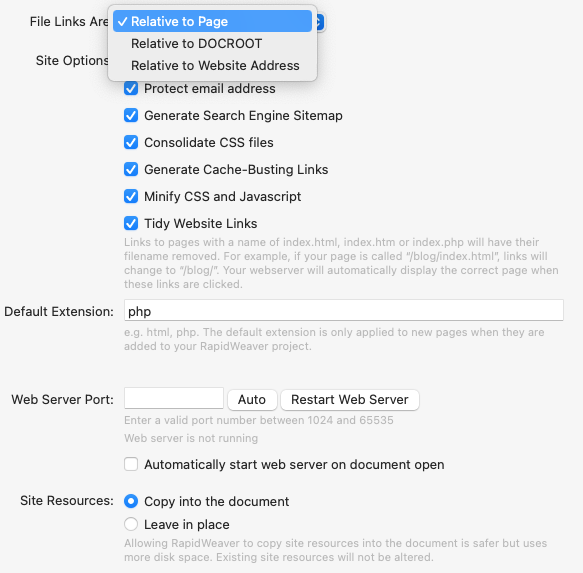
1. The Core Problem: Reliance on Page-Relative Paths
The software consistently generates links to assets (CSS, JS, images) and other pages using page-relative paths, which start with ../. For example:
- A link to a stylesheet might be:
href="../rw_common/themes/theme.css" - A link to another page might be:
href="../contact/"
This pathing method assumes that the depth of the page’s URL in the browser always matches its depth in the website’s file structure. This assumption breaks in many common scenarios, leading to failed requests.
2. The Consequence: Unreliable Rendering and Broken Navigation
This issue becomes apparent whenever a page’s content is served at a “clean” or rewritten URL that doesn’t match the file system.
A clear example: Imagine a page’s content is served for a URL like https://www.mywebsite.com/store/category/product/.
- The browser receives the page’s HTML. It sees a relative link to the main stylesheet, for example:
../rw_common/themes/theme.css. - The browser attempts to resolve this path from the URL it is currently on. It incorrectly tries to load the CSS file from
https://www.mywebsite.com/store/category/rw_common/themes/theme.css. - This path does not exist, so the request fails.
This results in pages loading without any styling, missing images, and failing JavaScript. Furthermore, all navigation links become incorrect, creating a broken user experience and making the site appear unprofessional. This problem can affect pages generated by third-party plugins (like a store) or any page that uses modern URL structures.
3. The Solution: Prioritise Root-Relative Paths
The most robust and reliable solution is to use root-relative paths for all site-wide assets and links. A root-relative path begins with a single forward slash (/), which instructs the browser to always resolve the path from the website’s root domain.
I was able to fix the issues on my site by manually editing the exported files and changing the paths:
- From:
../rw_common/themes/theme.css - To:
/rw_common/themes/theme.css
And for internal page links:
- From:
../contact/ - To:
/contact/
This immediately fixes all loading errors because the browser can now find the asset from a consistent, predictable location, regardless of the URL being viewed.
Suggestion for a Fix: I strongly recommend that the software includes a site-wide setting to generate all links using root-relative paths by default. This would solve this entire class of problems, make the software’s output more compatible with modern web server configurations and plugins, and prevent users from having to perform manual fixes.
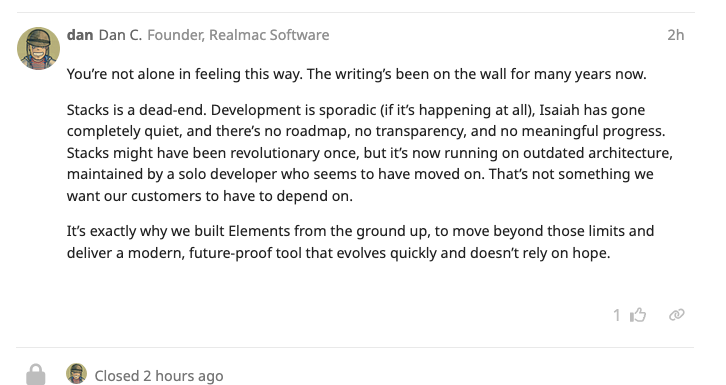
I’m not sure if this issue is with RW, stacks or F3. Has anyone any input on this and/or a possible solution?